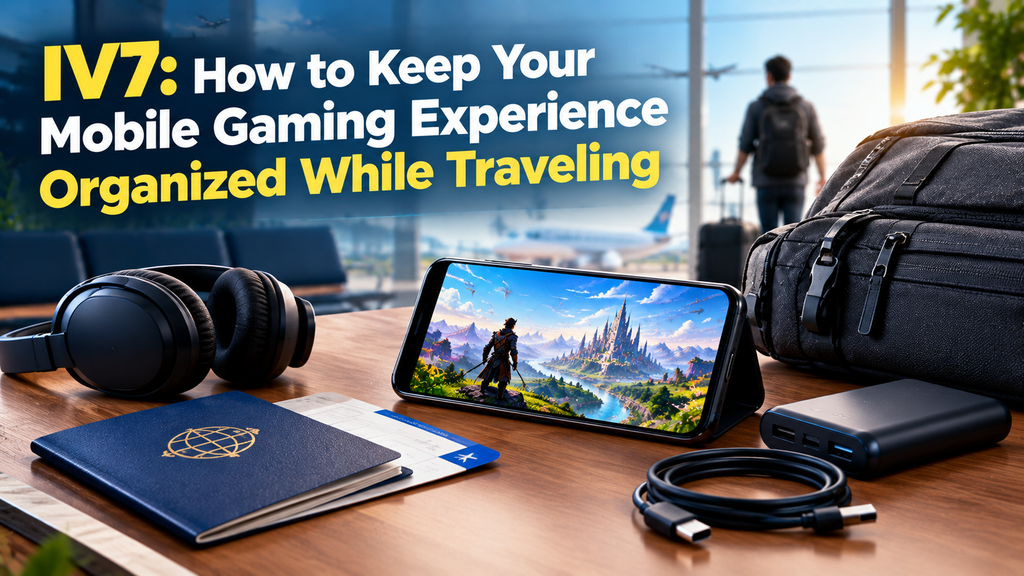
Traveling changes the way people use their phones. A device that normally stays at home may suddenly become a tool for navigation, communication, entertainment, bookings, and important travel documents. Keeping everything organized can make the journey easier and reduce the chance of losing access to useful information.
Mobile gaming can also be part of a travel routine. If you use the iv7 game during free time, preparing your phone before leaving can help you avoid unnecessary interruptions. A little planning can prevent problems caused by low battery, missing files, limited internet access, or misplaced account information.
This guide covers practical ways to prepare your phone, organize applications, and manage mobile gaming during different stages of a trip.
Prepare Your Phone Before Leaving Home
Travel preparation should begin before the journey. Checking your phone in advance gives you time to fix problems without rushing.
Review Essential Phone Information
Make sure important details are available and easy to access.
Check the following:
- Emergency contact numbers.
- Travel bookings and confirmation messages.
- Hotel or accommodation details.
- Important identification documents.
- Maps or directions for your destination.
- Contact information for family members.
Keep copies of essential documents in a secure location. Avoid storing sensitive information in an unprotected folder.
Check Your Installed Applications
Review the applications you may need during the trip. Remove unnecessary downloads only after confirming that they are not important.
If you plan to use iv7, check that the application is installed correctly and opens as expected before traveling. This gives you time to resolve installation or compatibility problems at home.
Organize Downloads and Travel Documents
A crowded downloads folder can make it difficult to find important files. Separate travel-related information from entertainment files and other personal documents.
Create Simple Folders
Use clear folder names that make files easy to identify.
For example:
- Travel Documents
- Booking Details
- Maps and Directions
- Personal Files
- App Installers
- Entertainment
If you download iv7 apk for installation, keep the file separate from travel documents. Do not delete an installer until you have confirmed that the application is working and the file is no longer needed.
Keep Important Files Available Offline
Internet access may be unreliable during flights, road trips, or visits to remote areas.
Where supported, save important maps, tickets, and booking confirmations for offline access. Check that downloaded files open correctly before leaving.
Plan How You Will Use Mobile Internet
Your internet connection may change several times during a trip. You might use home Wi-Fi, mobile data, hotel internet, or another public network.
Understanding your connection options can help prevent unexpected interruptions.
Check Your Mobile Data Allowance
Review your available data before traveling. Some activities consume more data than others, especially large downloads and video streaming.
If you plan to download the iv7 game apk latest version, complete the download through a trusted connection before departure when practical.
Do not assume that every public Wi-Fi network is secure. Verify the network name and avoid entering sensitive information on unfamiliar pages.
Avoid Unnecessary Background Activity
Some applications continue using data when they are not open.
Review background data settings for applications that you do not need during the journey. This can help preserve your available data allowance.
Make a Practical Battery Plan
A phone can lose power quickly when used for maps, photographs, communication, and entertainment throughout the day.
Instead of waiting until the battery becomes low, plan when and where you will charge the device.
Carry Suitable Charging Equipment
Pack a compatible charging adapter and a good-quality cable. A portable power bank can also help when a wall outlet is not available.
Before traveling, check that your accessories work correctly. Avoid carrying damaged cables or unreliable adapters.
Manage Power During Long Journeys
Use these habits to reduce unnecessary battery use:
- Lower screen brightness when practical.
- Close applications you are not using.
- Turn off unused wireless connections.
- Enable battery-saving settings when needed.
- Avoid demanding activities when the phone is already hot.
- Keep charging equipment easy to reach.
If you use iv7 during a journey, consider shorter sessions when battery power is limited.
Keep Your Gaming Account Information Safe
Travel often means using your phone in unfamiliar places. It may also mean connecting through networks that you do not control.
Account security should remain important even when you are away from home.
Protect Login Details
Use a strong password and avoid saving sensitive credentials where other people can access them.
Do not share verification codes with strangers. Be cautious of messages claiming that your account needs urgent confirmation.
Check Account Recovery Options
Before traveling, make sure you know how to recover access if you forget a password or lose access to your phone.
If the iv7 game apk latest version requires an account sign-in, understand the available recovery process before leaving. Keep recovery information private and accessible through a secure method.
Choose Suitable Times for Mobile Gaming
Travel schedules can be unpredictable. Delays, sightseeing, family activities, and other responsibilities may change your free time.
Mobile gaming should fit around the journey rather than interfere with it.
Use Free Time Responsibly
A short session during a waiting period may be more practical than playing while walking through an unfamiliar place.
Avoid using your phone when you need to pay attention to traffic, directions, announcements, or your surroundings.
Respect Shared Travel Spaces
If you are traveling with other people, consider their needs too. Loud audio or long gaming sessions may disturb others.
Use headphones at a reasonable volume when appropriate, and keep the phone available for important communication.
Manage App Updates Before and During Travel
Updating applications at the wrong time can create unnecessary problems. A large download may use mobile data or take longer than expected on a weak connection.
Review Updates Before Departure
Check whether important applications need updates. Install necessary updates through trusted sources while you have a stable internet connection.
If you intend to use iv7 apk latest version, verify the source and compatibility before installing it. Do not trust a download page simply because it advertises a newer release.
Avoid Unnecessary Changes During the Trip
If an application is working properly, avoid changing several settings or installing unfamiliar versions without a clear reason.
Keep track of any update that changes the app’s appearance or behavior. This makes troubleshooting easier if a problem appears later.
Follow a Simple Phone Check Before Returning Home
The end of a trip is a good time to review your device.
Before leaving your destination, check that you still have your important files, travel documents, and personal belongings.
Use this checklist:
- Confirm that important documents are saved.
- Check that no personal files were left on a shared device.
- Remove temporary downloads you no longer need.
- Review unusual account notifications.
- Disconnect from unfamiliar saved Wi-Fi networks.
- Check your remaining mobile data and battery accessories.
- Make sure your phone and charger are packed.
These small checks can help you return home with a more organized device.
Final Thoughts
A well-prepared phone can make traveling more convenient. Organized documents, suitable charging accessories, secure account details, and sensible internet use help reduce common problems during a journey.
If you enjoy using iv7, prepare your application and account before departure rather than waiting until you need them. Download iv7 apk only from a trustworthy source, verify the file, and avoid rushed installations while traveling.
The goal is simple: keep your phone ready for important travel tasks while leaving room for entertainment during suitable breaks.
Frequently Asked Questions
1. Should I install mobile gaming apps before traveling?
If you plan to use an app during your trip, install and test it before departure. This gives you time to resolve compatibility or installation problems.
2. Can I use iv7 game while traveling?
You can use the app during suitable free time if your device, internet connection, and the app’s requirements allow it. Follow local rules and stay aware of your surroundings.
3. Should I download iv7 apk before leaving home?
If you need an APK installation file, downloading it through a trusted connection before departure may be more convenient. Verify the source and file details before installing it.
4. How can I save mobile data during a trip?
Limit unnecessary background activity, avoid large downloads over mobile data, and use trusted Wi-Fi when available. Check your data usage regularly.
5. What should I carry to keep my phone charged?
Carry a compatible charging adapter and cable. A reliable power bank can also help when charging outlets are unavailable.
6. Is public Wi-Fi suitable for accessing gaming accounts?
Use only verified networks and avoid entering sensitive details on unfamiliar pages. A reputable VPN may provide additional network privacy, but it does not protect against every online threat.
7. How can I check iv7 game apk latest version before traveling?
Verify the download source, version information, device compatibility, and requested permissions. Do not rely only on advertisements claiming that a file is the newest release.