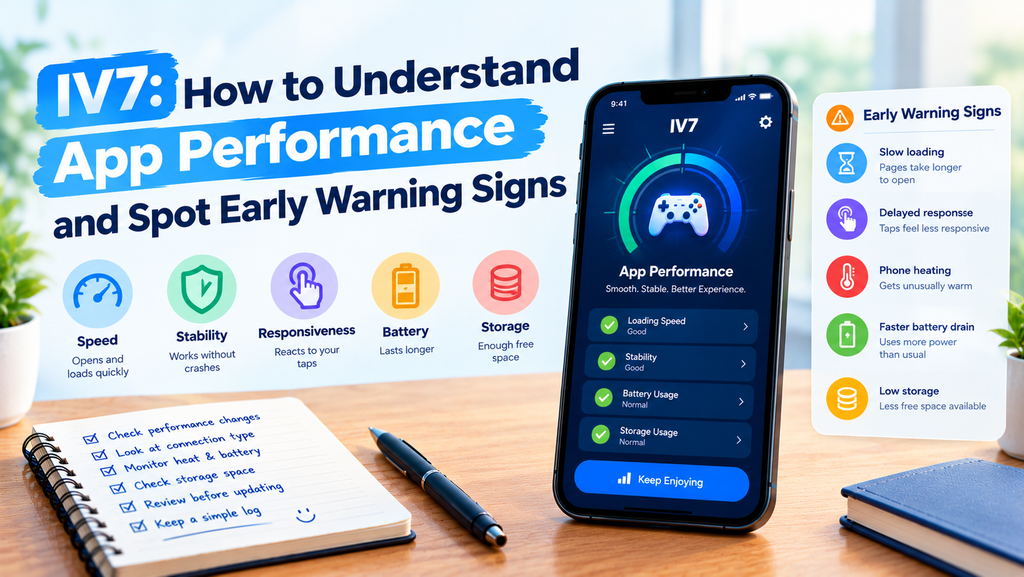
A mobile app can feel fast one day and slow the next. Pages may take longer to open, animations may become less smooth, or the phone may heat up during use. These changes do not always mean something is seriously wrong, but they can tell you when it is time to check your device.
For people using iv7, understanding basic app performance can make mobile gaming easier to manage. Instead of guessing why an app feels different, you can learn which signs matter, what your phone may be telling you, and when a simple check is worth doing.
This guide explains common performance signals, how to observe them, and what to consider before updating or reinstalling the iv7 game.
What App Performance Really Means
App performance is more than how quickly a screen appears. It also includes how smoothly the app responds, how reliably its pages load, and how well it works with your phone.
A useful way to understand performance is to look at three areas.
- Speed: How long does the app take to open a page or complete an action?
- Stability: Does the app continue working, or does it freeze or close unexpectedly?
- Responsiveness: Does the screen react properly when you tap a button or move through a menu?
These areas can help you describe your experience with iv7 more clearly. They are general ways to assess mobile apps, not a guarantee that every problem has the same cause.
1. Learn to Recognize Small Performance Changes
Performance issues often begin with small changes rather than a complete failure. Paying attention to these signs can help you notice a pattern before spending time on unnecessary fixes.
When Screens Take Longer to Load
If a page that usually opens quickly starts taking much longer, several things could be happening. Your internet connection may be weak, the app may be handling a temporary service issue, or your phone may have limited resources available.
Try to notice whether the delay happens on every screen or only one. If the iv7 game loads its opening page normally but another section takes longer, that detail is useful when investigating the issue.
When Touch Controls Feel Delayed
A delayed response can happen when the phone is busy or when the app is struggling to complete an action. It may also be caused by a screen protector, a touch-screen problem, or another device issue.
Test the screen in other apps before deciding that iv7 is responsible. This simple comparison can help you separate an app-specific problem from a wider phone issue.
2. Understand the Difference Between Lag and Connection Problems
Lag and network problems can feel similar, but they do not always have the same cause.
If a screen responds slowly even when no internet connection is needed, the phone or app may be struggling with the task. If online content fails to load while other parts of the app remain responsive, the connection or an online service may be involved.
Use a Simple Comparison Test
When it is safe and practical, compare the app on Wi-Fi and mobile data. Avoid using mobile data if your plan is limited.
You can also open another trusted app that uses the internet. If several apps have trouble loading, the problem may involve your connection rather than the iv7 apk itself.
Do not assume that every delay means you need a new download. First, identify whether the problem appears related to the network, the phone, or one specific part of the app.
3. Watch for Signs That Your Phone Is Under Pressure
Your phone gives several clues when it is working hard. These clues can help you decide whether to pause and check its condition.
Heat During App Use
A phone may become warm during demanding tasks, charging, or extended use. However, unusual or uncomfortable heat should not be ignored.
If your device becomes very hot, stop using the app and unplug the charger if it is safe to do so. Let the phone cool naturally in a safe place. Do not put it in a refrigerator or freezer.
If overheating happens repeatedly while using iv7, compare it with other apps and check whether the same behavior continues. Follow your phone manufacturer’s safety guidance if the heat is severe or persistent.
Battery Drops Faster Than Expected
Battery use depends on screen brightness, network activity, background apps, and device age. A single session cannot always tell you whether something is wrong.
Check your phone’s battery settings to see which apps are using the most power. Compare similar periods of use instead of judging battery performance from one short session.
4. Check Storage Before Changing the App
Low storage can affect how a phone handles updates, temporary files, and other tasks. Before downloading the iv7 game apk latest version, check how much free space your device has.
Keep enough room for the download, installation, and normal phone operations. The exact amount required depends on the app and device.
You can remove duplicate downloads, unwanted videos, or files you no longer need. Review everything before deleting it, especially if the file may contain information you want to keep.
Clearing storage is not the same as clearing app data. Removing app data may delete local settings or saved information, so avoid doing that unless you understand the possible result.
5. Evaluate an Update Before Installing It
An update may improve stability or fix a known issue, but installing a new version is not a guaranteed solution for every performance problem.
Before updating iv7, check whether the version is offered through a source you can verify. Read any available release notes and confirm that your device meets the stated requirements.
If you are considering the iv7 apk latest version, remember that the word “latest” in a file name does not prove that the file is genuine or safe. Avoid unfamiliar download pages that make unsupported promises.
After a legitimate update, observe the app for a reasonable period. If the problem began immediately afterward, record the change and consult a verified support channel rather than repeatedly installing different files.
6. Keep a Small Performance Log
When a problem appears only sometimes, memory alone may not be enough to identify a pattern. A simple record can make the situation easier to understand.
Write down:
- The date and time the problem happened.
- The action you were performing.
- Whether you were using Wi-Fi or mobile data.
- Whether your phone felt unusually warm.
- Any error message that appeared.
- Whether the same issue occurred in another app.
For example, if iv7 slows down only when your connection is weak, that observation gives you a useful starting point. If it closes even when other apps work normally, the issue may need a different check.
Do not include passwords, verification codes, or private account details in your notes.
7. Know When Basic Checks Are Not Enough
Some issues continue even after checking storage, connection quality, and device temperature. Repeated crashes, persistent error messages, or problems that affect other apps may need further attention.
Restarting your phone can sometimes help, but it should not be treated as a cure for every problem. If the issue continues, check your device manufacturer’s guidance or contact a verified support channel for the app, if one is available.
Before reinstalling the iv7 apk, consider whether you could lose settings or locally stored information. Confirm that you have a trustworthy installation source and understand the consequences of removing the existing app.
Final Thoughts
Understanding performance changes helps you make better decisions about your phone and the apps you use. Slow loading, delayed controls, unusual heat, and faster battery use are useful clues, but each sign needs to be considered in context.
When using iv7, look for patterns instead of guessing. Check your connection, review available storage, monitor your phone’s condition, and verify the source before installing the iv7 apk latest version.
A careful approach can help you identify common problems without making unnecessary changes or putting your device at risk.
Frequently Asked Questions
1. Why might the IV7 game feel slow?
Possible causes include a weak internet connection, limited phone resources, low storage, or a temporary app or service issue. Compare the behavior with other apps before deciding what is responsible.
2. Does the IV7 APK latest version always improve performance?
No. An update may include fixes, but its effect depends on the changes made and your device. Use a verified source and check compatibility before installing it.
3. Can low storage affect mobile apps?
Yes. Very limited free space can interfere with downloads, updates, and normal device operations. Remove unnecessary files carefully and keep enough space available.
4. Should I keep using an app if my phone becomes very hot?
No. Stop using the app if the phone becomes excessively hot, unplug it if safe, and allow it to cool naturally. Follow the device manufacturer’s safety instructions.
5. What should I do if IV7 keeps crashing?
Record when the crashes happen, check whether other apps have similar problems, and review your device’s available storage. If the issue continues, seek help through a verified support channel before attempting a risky reinstall.