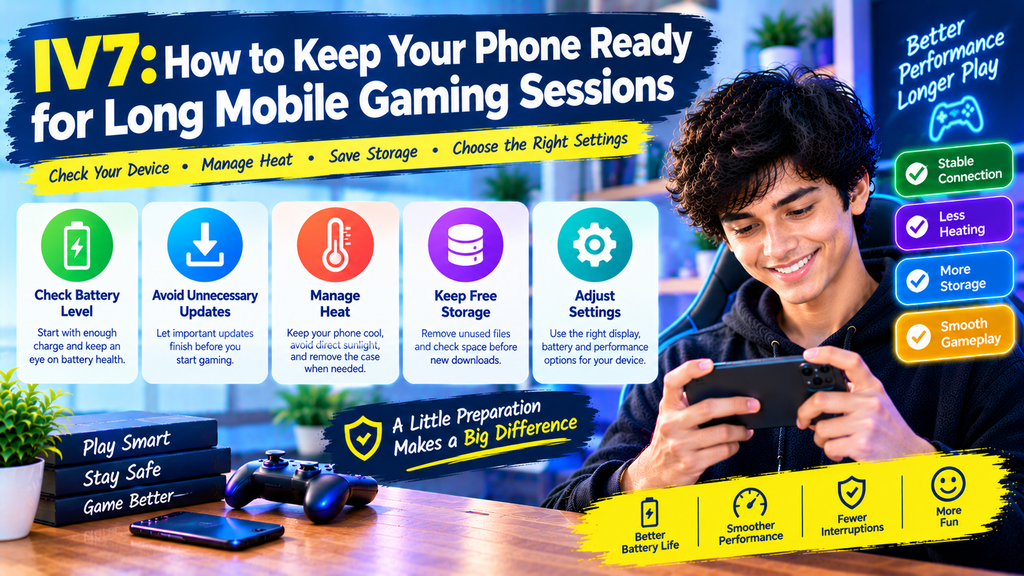
A phone that works well at the start of the day may behave differently after hours of regular use. The battery may run low, the device may become warm, and other apps may begin to slow down. These changes can affect how comfortable and reliable your mobile gaming experience feels.
If you use iv7, preparing your phone before a session can help you avoid common interruptions. A few practical steps can also make it easier to manage the iv7 game, keep track of app requirements, and handle updates without rushing.
The goal is not to change every setting or install extra tools. It is to understand what your phone needs and make sensible choices before small problems become frustrating.
Give Your Phone a Quick Check Before Playing
A short device check can help you spot problems before opening an app. You do not need a complicated routine. Focus on the basic things that affect everyday phone use.
Check the Battery Level
Starting a session with a nearly empty battery can make you feel rushed to finish. Check the battery level first, especially if you expect to be away from a charger for a while.
If the battery is low, charge your phone before starting. When charging during use, place the device on a hard, open surface rather than covering it with bedding or thick fabric.
You should also pay attention to battery health over time. If your phone loses charge unusually quickly during ordinary tasks, review its battery settings or consider professional assistance.
Make Sure Important Apps Are Not Updating
Automatic updates and large downloads may use storage, network access, and processing power. They can also interrupt an activity if an app needs to restart.
Before opening iv7, check whether your phone is downloading a large file or installing several updates. Let important updates finish when practical, particularly if they require a device restart.
Do not turn off all updates just to avoid interruptions. Operating system and security updates remain important for keeping a device protected.
Understand Why Your Phone Gets Warm
Some warmth is normal when a phone is working hard. However, excessive heat can make the device uncomfortable and may cause it to reduce performance temporarily.
Pay Attention to Your Surroundings
Room temperature affects how easily a phone releases heat. A device may become warmer when used outdoors in direct sunlight or inside a hot vehicle.
Choose a shaded, well-ventilated place for longer sessions. Avoid leaving your phone on a sunny windowsill or beside another heat-producing device.
If you notice that iv7 game activity makes your phone increasingly hot, pause and allow the device to cool naturally. Do not place a hot phone in a refrigerator or against ice, because sudden temperature changes and moisture can cause damage.
Remove a Thick Case When Necessary
Some cases can make heat escape more slowly. If your phone becomes unusually warm, removing the case temporarily may help it cool, provided doing so is safe and practical.
Avoid pressing on the device or continuing to use it when it displays a temperature warning. Follow the manufacturer’s cooling instructions before resuming use.
If the phone becomes extremely hot, swells, smells unusual, or shows signs of battery damage, stop using it and seek qualified assistance.
Keep Enough Free Storage Available
Your phone needs room for apps, updates, temporary files, photos, and other information. When storage becomes almost full, routine tasks may become harder to manage.
Review Storage Before Installing Updates
Open your device’s storage settings to see which categories use the most space. Large videos, duplicate downloads, and old files may take up more room than expected.
Remove only items you no longer need. If a file contains important information, back it up before deleting it.
Before installing an iv7 apk latest version, check the available space and any stated installation requirements. Remember that a download may need additional space while the installation process runs.
Know Which Files You Are Removing
Do not delete unfamiliar folders simply because their names look technical. Some files belong to apps or the operating system.
If you need to free up more room, use your phone’s built-in storage tools where possible. Review each suggested deletion before confirming it.
A little caution can prevent the loss of saved information that may be difficult to recover.
Choose Settings That Suit Your Device
Not every phone handles demanding tasks in the same way. A setting that works well on one model may have little effect on another.
Adjust Display Brightness
High brightness can increase battery use, especially during long periods of screen activity. Set the display to a comfortable level for the room instead of keeping it at maximum brightness.
Automatic brightness may be useful when lighting changes during the day. If the display becomes difficult to read, adjust it rather than straining your eyes.
Comfort matters more than making the screen as bright as possible.
Use Battery-Saving Features Wisely
Battery-saving modes can extend the time between charges, but some devices limit background activity or performance when these modes are enabled.
If an app behaves differently while power-saving mode is active, check the phone’s settings to understand what is being limited. Change only the options that are relevant to the problem.
Do not assume that disabling every battery restriction will improve iv7 performance. The result depends on your phone and the app’s requirements.
Keep Your Phone Comfortable to Hold
Long sessions can put pressure on your hands, wrists, neck, and shoulders. A comfortable setup helps you avoid unnecessary strain.
Find a Relaxed Position
Hold your phone without squeezing it tightly. Keep your shoulders relaxed and avoid bending your neck forward for long periods.
If you use a stand, place the screen where you can see it without leaning awkwardly. Make sure the stand is stable and does not block ventilation.
Small changes to your posture can make a noticeable difference during everyday phone use.
Give Your Eyes Regular Breaks
Looking at a screen continuously may cause tired eyes, dryness, or headaches. Take regular breaks and look away from the display.
Blink normally, adjust the text size when needed, and use comfortable lighting. If you experience persistent discomfort, stop the activity and consider seeking professional advice.
There is no need to push through discomfort just to finish a session.
Handle App Updates With Care
An update can introduce changes, fix certain issues, or adjust compatibility requirements. However, installing a file simply because it claims to be new is not always a wise decision.
Check the Version Information
Before updating iv7, review any available release notes and compatibility details. They may explain what has changed and whether a newer version requires a particular operating system.
If you are considering an iv7 game apk latest version, confirm that the download comes from a trustworthy source. A filename containing the word “latest” does not prove that the package is genuine or current.
Avoid modified packages from unknown websites and do not disable your phone’s security protections to force an installation.
Avoid Updating in a Hurry
If your phone is low on battery or your internet connection is unreliable, consider waiting until conditions are better. Make sure you understand whether the update will replace an existing installation or affect locally stored information.
Where possible, keep important information backed up before making significant changes.
A planned update is usually easier to manage than one started at the last moment.
Create a Simple Phone-Readiness Routine
You can prepare your device in just a few minutes. Use this checklist before a longer session:
- Check battery level and available storage.
- Let essential downloads or updates finish.
- Make sure the phone is not already overheating.
- Choose a comfortable place with good lighting.
- Confirm that your internet connection is stable if needed.
- Keep a charger nearby when appropriate.
- Take breaks instead of using the phone continuously.
This routine does not guarantee perfect performance, but it can reduce avoidable interruptions.
Final Thoughts
Keeping your phone ready for mobile gaming involves more than charging the battery. Storage, heat, display settings, comfort, and software updates all play a role in everyday device use.
Before opening iv7, take a moment to check the condition of your phone. If you plan to install the iv7 apk latest version, verify the source and review the requirements instead of rushing through the process.
Simple preparation can help you use your device more comfortably, protect important information, and recognize when a phone needs a break.
Frequently Asked Questions
1. Why does my phone become warm during mobile gaming?
A phone may become warm because its processor, display, and network connection are working. High room temperatures and direct sunlight can add to the heat. Stop using it if it becomes excessively hot.
2. How much free storage should I keep on my phone?
There is no single amount that suits every device. Keep enough space for normal operation, app updates, and your personal files. Check the app’s stated requirements before installing a new version.
3. Can battery-saving mode affect the IV7 game?
It may affect certain app behaviors on some devices, depending on how the phone limits background activity or performance. Check your device settings before changing them.
4. Is it safe to use a phone while it is charging?
It depends on the device, charger, temperature, and conditions. Use a suitable charger, keep the phone ventilated, and stop if it becomes unusually hot. Follow the manufacturer’s safety guidance.
5. How can I check the IV7 APK latest version safely?
Use a source you can verify, review the version details, and check device compatibility. Do not rely on a filename or an unsupported claim that a package is official.
6. Should I close every background app before gaming?
Not necessarily. Modern phones manage many background tasks automatically. Close an app if it is causing a problem or using resources unnecessarily, but avoid installing unknown phone-cleaning tools that promise instant performance improvements.